? Shani Luke | Professional Writer and Designer


Content Design | Product Onboarding

The Challenge

Lightspeed received feedback that customers were having difficulties getting set up on the system after purchasing the software. The result was customer frustration and a longer than desired TTV (time to value). Alongside the Senior Product Designer, I was tasked with developing an onboarding module to help new customers ramp up quickly.

The content needed to be delivered in Lightspeed's voice, with a clear, informative and engaging tone.

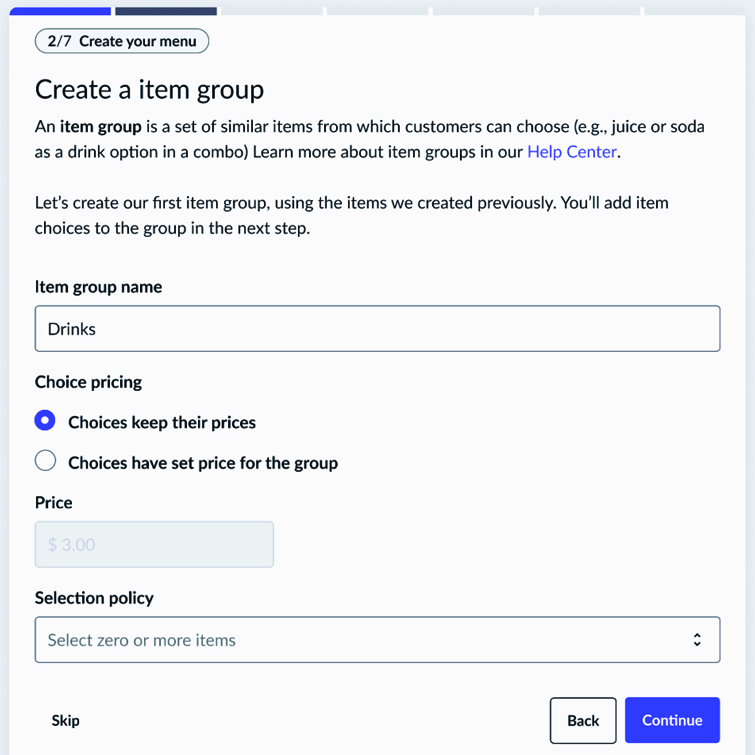
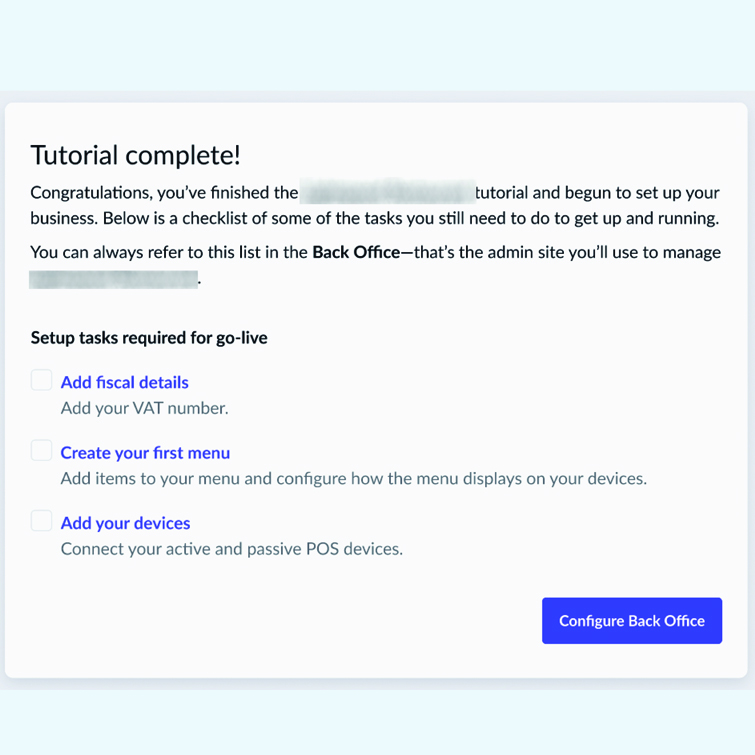
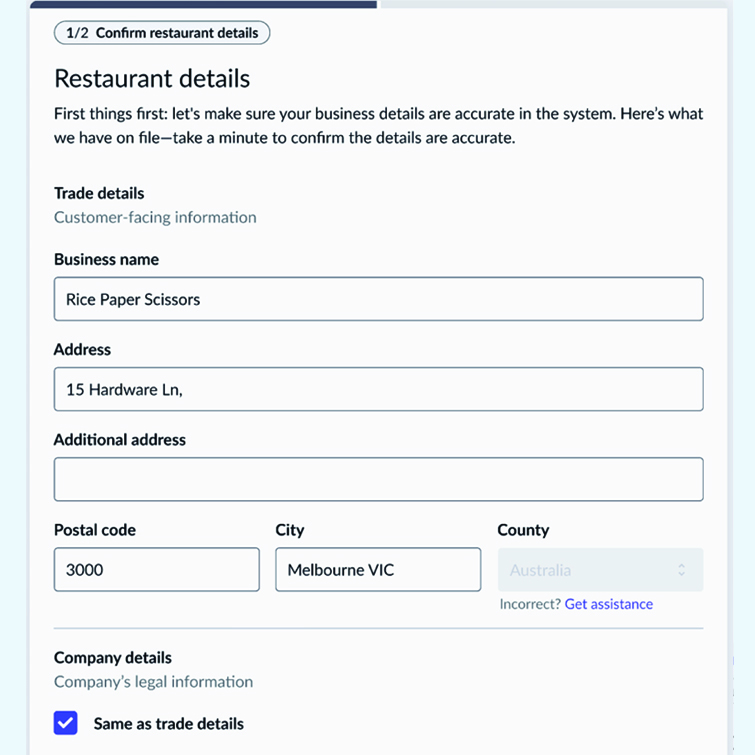
Below is a snapshot of my content strategy and pages created for the module.
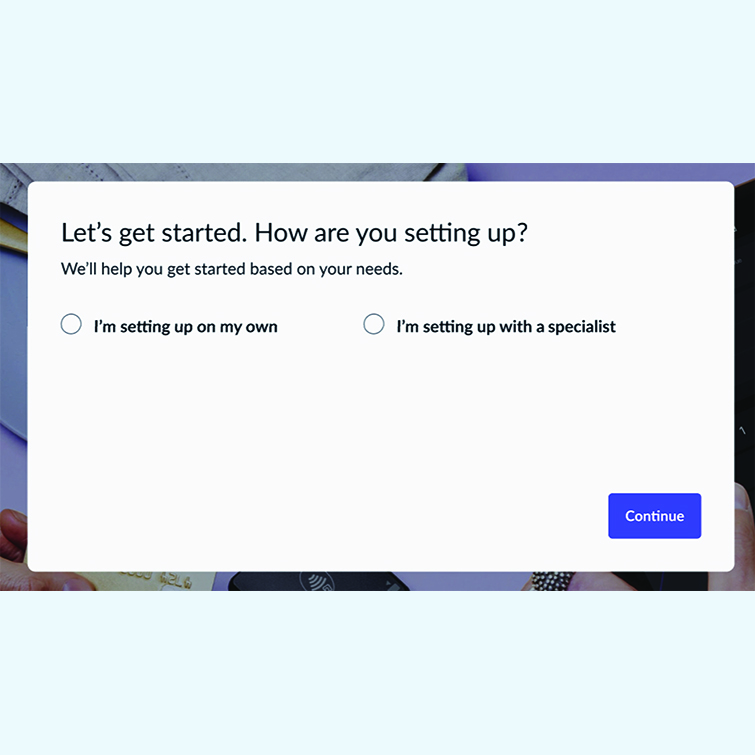
Slide 1
Slide 2
Slide 3
Slide 4

CONTENT STRATEGY

Purpose & Goals

  • Support new users in configuring their back-office system confidently before launch
  • Reduce friction during setup and increase successful completions
  • Empower users to feel capable, not overwhelmed
  • Build trust and loyalty through clear, empathetic guidance

Audience

Primary Audience: New customers with little to no technical expertise

Secondary Audience: Admin staff responsible for system setup

Pain Points

  • Complexity of admin tasks in the back office system
  • Fear of making mistakes during setup
  • Limited time to configure before launch

User Needs

From the user’s perspective, the platform should provide:
  • Clear, jargon-free instructions
  • Guidance that feels supportive, not condescending
  • Reassurance that mistakes can be fixed
  • Progress visibility to stay on track

Client Needs

From the business perspective, the platform should translate to:
  • Higher adoption and retention rates
  • Fewer support tickets during onboarding
  • Consistent experience across accounts

Messaging & Brand Voice

  • Tone: Helpful, empowering, empathetic
  • Voice: Plain language, encouraging, benefit-focused
  • Frame tasks as milestones, not hurdles
  • Celebrate progress and highlight benefits at each step

Content Types & Formats

  • In-App Copy: Wizard text, tooltips, inline guidance
  • Microcopy: Supportive button labels, error messages, confirmations
  • Help Content: FAQs, quick tips, inline links
  • Supplementary: Short videos, quick-start PDFs, knowledge base guides

SEO

Keyword Focus

Focus on in-product discoverability rather than external SEO:

  • Consistent help icons and tooltips
  • Centralized knowledge base with internal search indexing

Content Pillars

  • Guidance: Reduce complexity with clear instructions
  • Empowerment: Reinforce user confidence
  • Reassurance: Handle errors and progress tracking empathetically
  • Support: Provide accessible help and resources

Distribution & Promotion

  • Channels: In-app wizard, onboarding emails, help center
  • Tactics: Automated reminders, embedded tutorials, completion nudges

Content Calendar

To keep customers engaged, key assets will be delivered:
  • Initial rollout: Launch alongside product release
  • Monthly: Refine copy based on support tickets
  • Quarterly: Update flows and content based on user feedback

DESIGN ASSETS

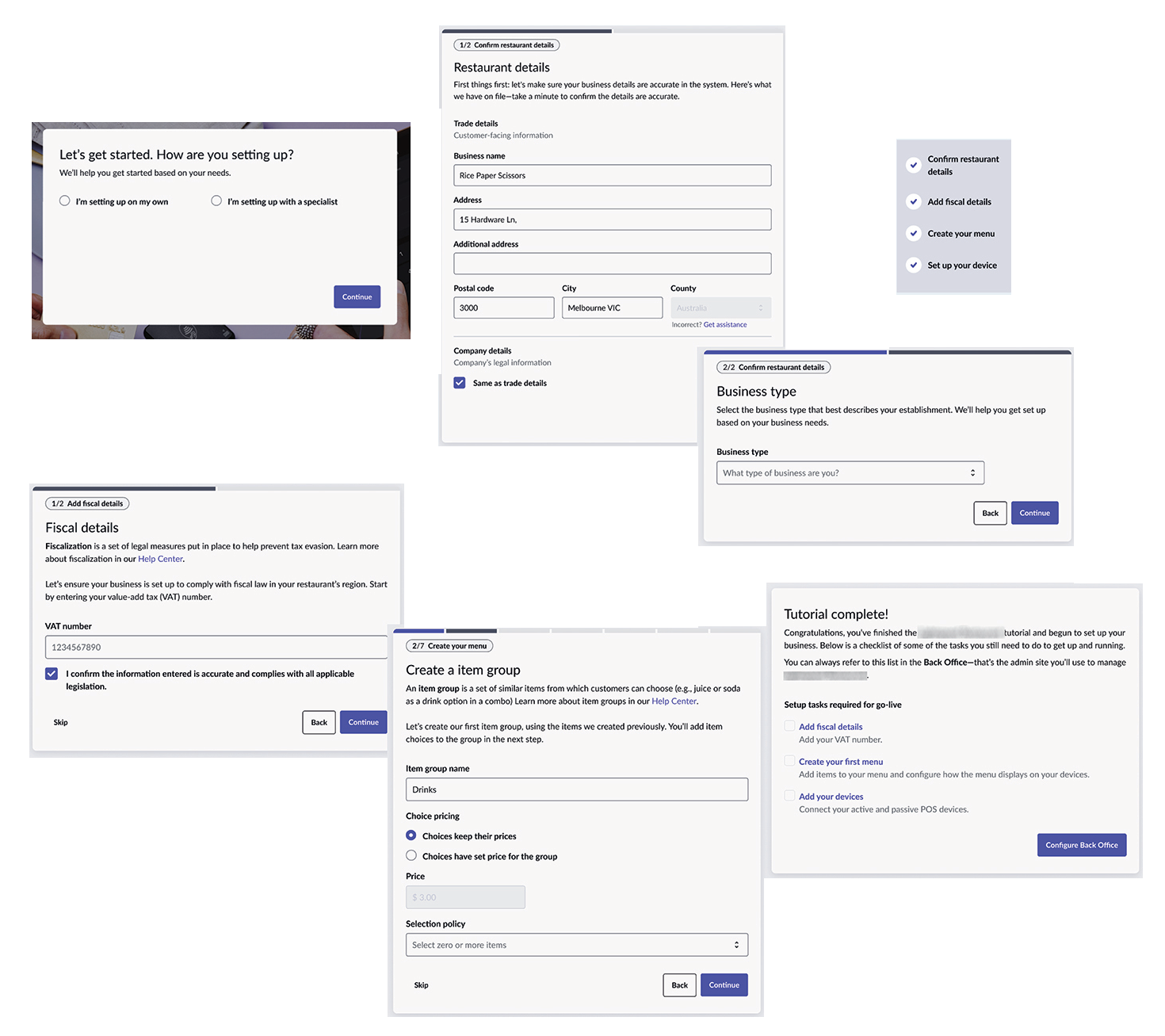
Sample Screens
Below is a collage of screens pulled from the onboarding wizard.